

1·
2 days agoOh, and please create a backup before that. You never know :)
Oh, and please create a backup before that. You never know :)
So here are the commands to delete the data directly from the database. It would be best to stop reitti before that.
You need to replace :start_time and :end_time with the actual timestamps in the form of ‘2025-05-31T03:19:13.000Z’
-- Here we first delete the data
DELETE FROM raw_location_points WHERE user_id = 1 AND timestamp >  :start_time AND timestamp < :end_time;
DELETE FROM processed_visits WHERE user_id = 1 AND start_time < :end_time AND end_time > :start_time;
DELETE FROM trips WHERE user_id = 1 AND start_time < :end_time AND end_time > :start_time;

-- now we mark the last point before and the first point after the deleted range as unprocessed
UPDATE raw_location_points SET processed = FALSE WHERE id IN (SELECT id FROM public.raw_location_points WHERE user_id = 1 AND timestamp < :start_time ORDER BY timestamp DESC LIMIT 1);
UPDATE raw_location_points SET processed = FALSE WHERE id IN (SELECT id FROM public.raw_location_points WHERE user_id = 1 AND timestamp > :end_time ORDER BY timestamp LIMIT 1);
The next time, data comes in these newly marked points will be processed with the incoming data and should fix up everything.
Let me know if you need further help.
In the upcoming release, you would be able to delete them by hand in the UI. But I am working on the final stretches until I can declare the first beta release.
Hello @KToomey,
thank you for your kind words.
There is currently no official way of removing a day worth of data. You can however delete it directly from the database and issue a recalculation.
I will come back later and tell you the commands. Currently I have some family business to do :)
That is a nice question. I will not participate in the comparison but am here if anybody has some questions about Reitti.
One tip I can give, which makes switching apps easier, is: try to keep either the raw GPS files or make sure that your chosen solution allows you to export them. That way, you could import them later into another one.
Oh, thank you for that detailed explanation. Based on that, I think that Reitti is not a good fit for it. It is designed to capture your personal movements but will fail to do so if there are gaps in between or multiple devices log into the same account.
Maybe Traccar would be a better fit. From my understanding, it is designed to capture multiple devices.
But maybe the upcoming devices feature aligns Reitti more with your use case. This could/will also bring support for fragmented tracks on a device level. From there, nothing speaks against exporting that single track then.
Cropping seems like a nice idea I could add to the, also upcoming, edit functionality.
Thank you for the inspiration 🙏
Immich happens to be the solution I am using. In theory it is possible to add other services. If your service has an API I am more than happy to add a integration for it.
That would be awesome. If something needs to be done, I could probably incorporate that into the device’s support. It is currently in the planning phase and still open to suggestions and ideas.
Good you found it.
For all the others with maybe the same question: https://www.dedicatedcode.com/projects/reitti/latest/integrations/home-assistant/
Sure, give it a try if it fits your case. Bear in mind that reitti is really designed to track your whole day and only your personal movement. It will happily create a visit if you upload two separate gpx file with a gap between them of a day or so. This is a feature to circumvent battery saving modes and missed tracking in the accompanying gps apps.
It can work but it sounds like you would benefit from the devices feature in the next release (not counting bugfixes here) The plan would be to merge then all gps data (automatically or manual) into one timeline. So all data of all devices together can be your personal movement.
Hello, thank you for your feedback.
In one of the next updates, editing functionality will be added. Perhaps I can also add a function to add points in between.
For my use case, Reitti already does a lot of cleaning up unrealistic or too dense data. However, sometimes it is missing a point or two. Especially old Google Takeouts or timeline data are notoriously bad. So, sometimes in my data, I visited Jakarta according to Google. I have never been there. The idea is that I should be able to delete that point or move it somewhere else.
This will come in one of the next releases. There is no timeframe right now, as I first need to do a little bit of planning, and to be honest, I need a break from coding for a week or so after putting the new map into Reitti over the last three months. I thought it would be easier, but there were a lot of quirks in Deck.gl and MapLibre.
Hello, it should zoom in into your data or home location. The later can be set in your profile under Settings.
What normally should happen: you open the page and reitti loads the data for the selected day or the data for the last known date to have data. Then it zooms into the whole path until it fits nicely on the screen.
If this is not working for whatever reason please report a bug. Then I can dig into it and try to solve this.
Hello, reitti has a different usecase than wanderer. Reitti is designed to follow your whole day around. The idea is to look back a year from now to bring back some memories. With the new map you could also dig into your behaviours like where I am normally at 08:00, or which places I go to lunch at 12. For that, it needs the gps location all day. There are multiple ways to ingest data into reitti. It is documented here: https://www.dedicatedcode.com/projects/reitti/latest/integrations/mobile-apps/
You can also upload GPX Data or other formats. Reitti works best when having a continuous stream of gps data. Think about it as a Google Timeline but private.
Wanderer on the the other hand, seems to be designed as a planning and tracking app for single trips. Correct me if I am wrong.
Glad to hear that the update went smoothly. And thank you for the feedback.
Hi, there is a option to upload a custom css for your user in the settings. There you would also find a toggle to display a colored map instead of the gray one.
Updating the map style will come in one of the next releases. For that you would need to upload a custom style.json. They are exhausting tk edit, but allow full control over every aspect of the map. Take a look here for more information. https://maputnik.github.io/
Here are more Screenshots and the link to the new updated documentation for the 4.0 release.
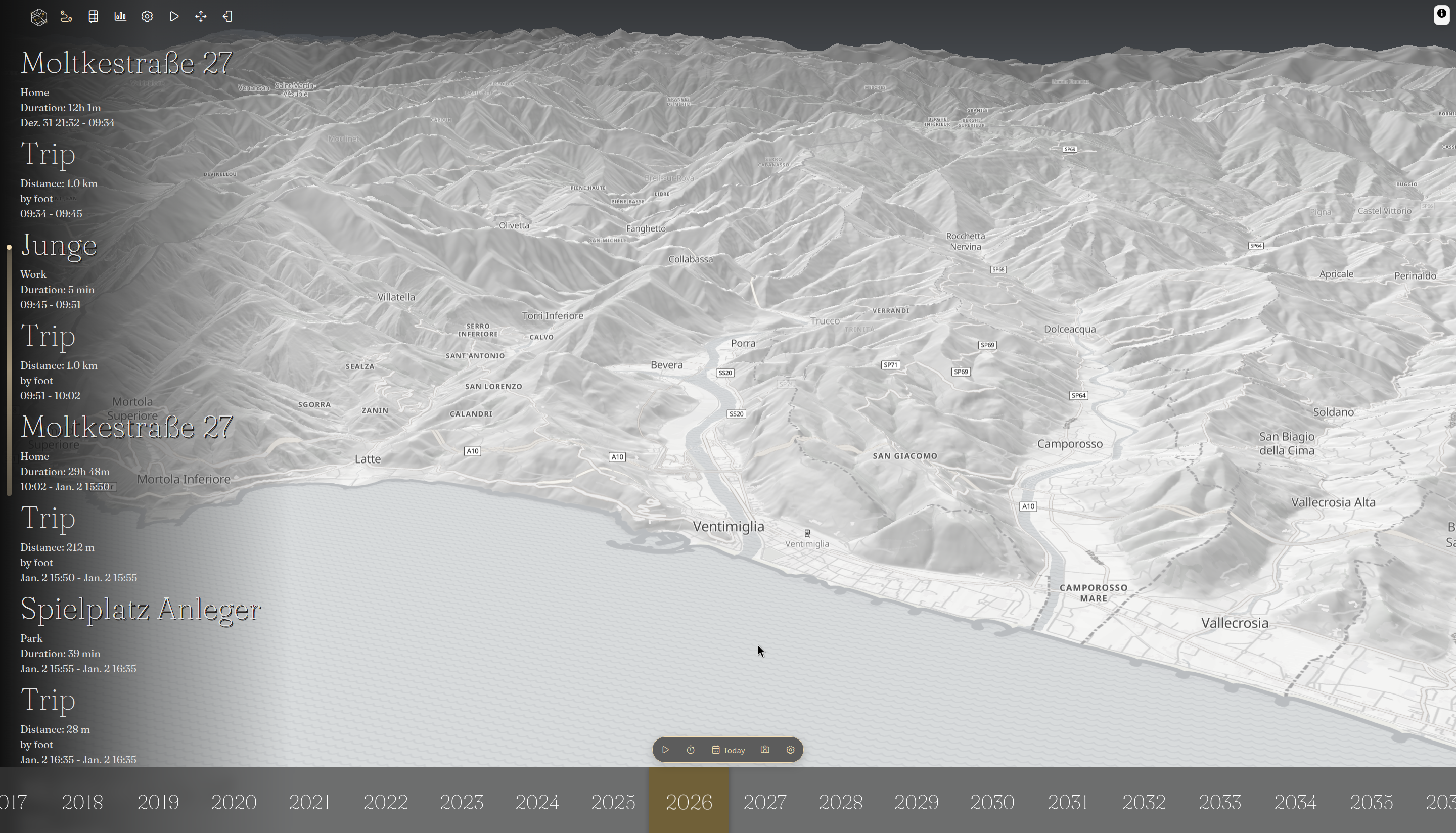
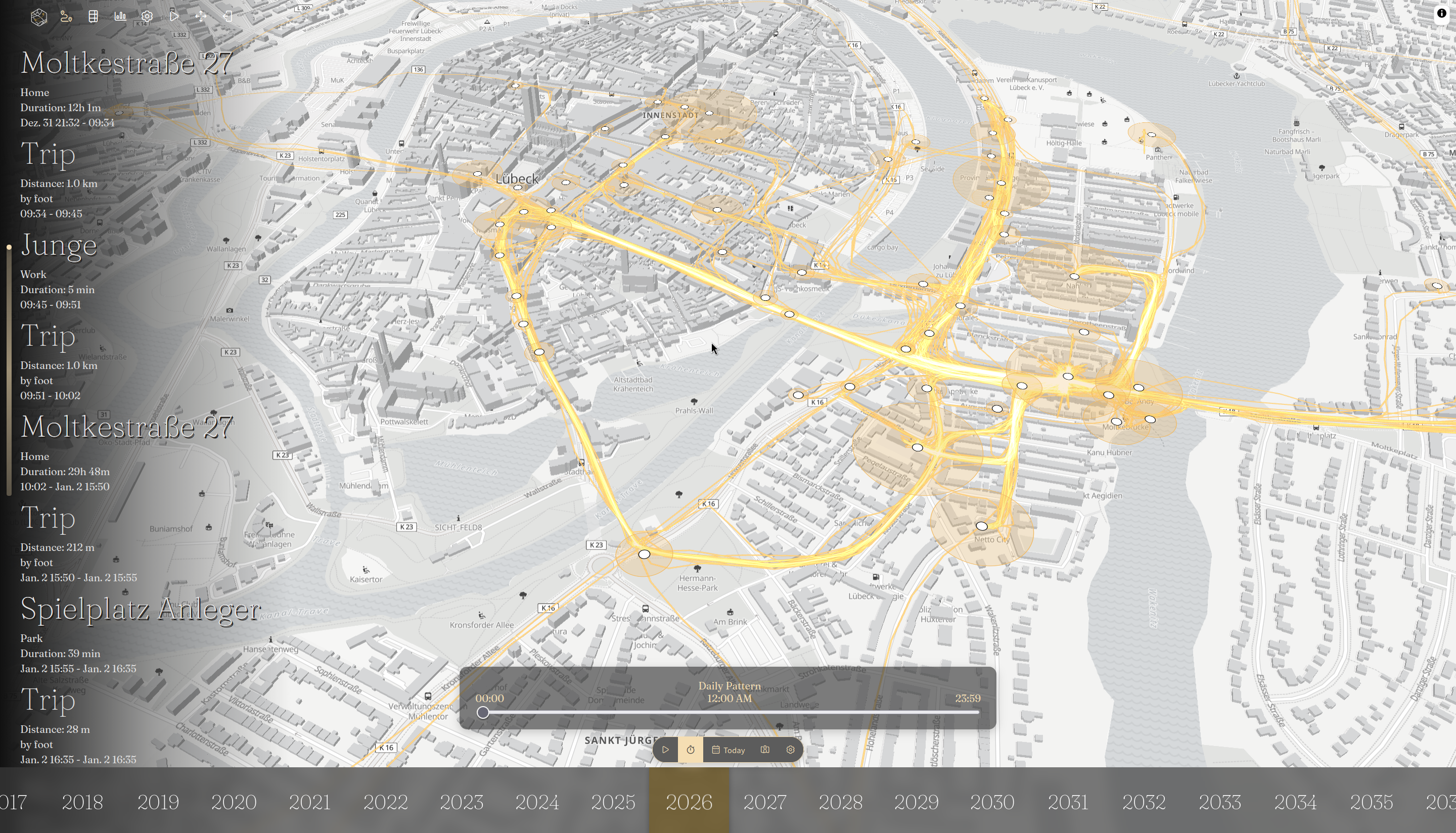

Let me know how the upgrade is received. I would love to hear more feedback about it.
Hello, that is something I can’t help with. I do not run dawarich anymore since a year or so. Maybe someone can jump in who recently switched and has a fresh look.
Else i can encourage you to spin it up and import a gpx file if possible. You should be able to export the data from dawarich for a day or two and have a look around.
God damit, yes it is weekly. I have a 6y old daughter, time has no meaning to me anymore :D
I just wanted to make a joke that it is enough to put reitti one time into the update section. Then I saw that you also wrote a highlight piece about it ☺️
Thank you very much for that. And also thank you in general for the effort you put in the newsletter. I eagerly waiting every month for it.
Yes, then it is propably better to wait instead of deleting the data in that way.
When everything goes right we have one or two weeks till the first beta version. Stay tuned 😉